AI Drawing Generator
Type what to draw, pick one of six mediums and download a square drawing. Your first image is free, no sign-up, no credit card.
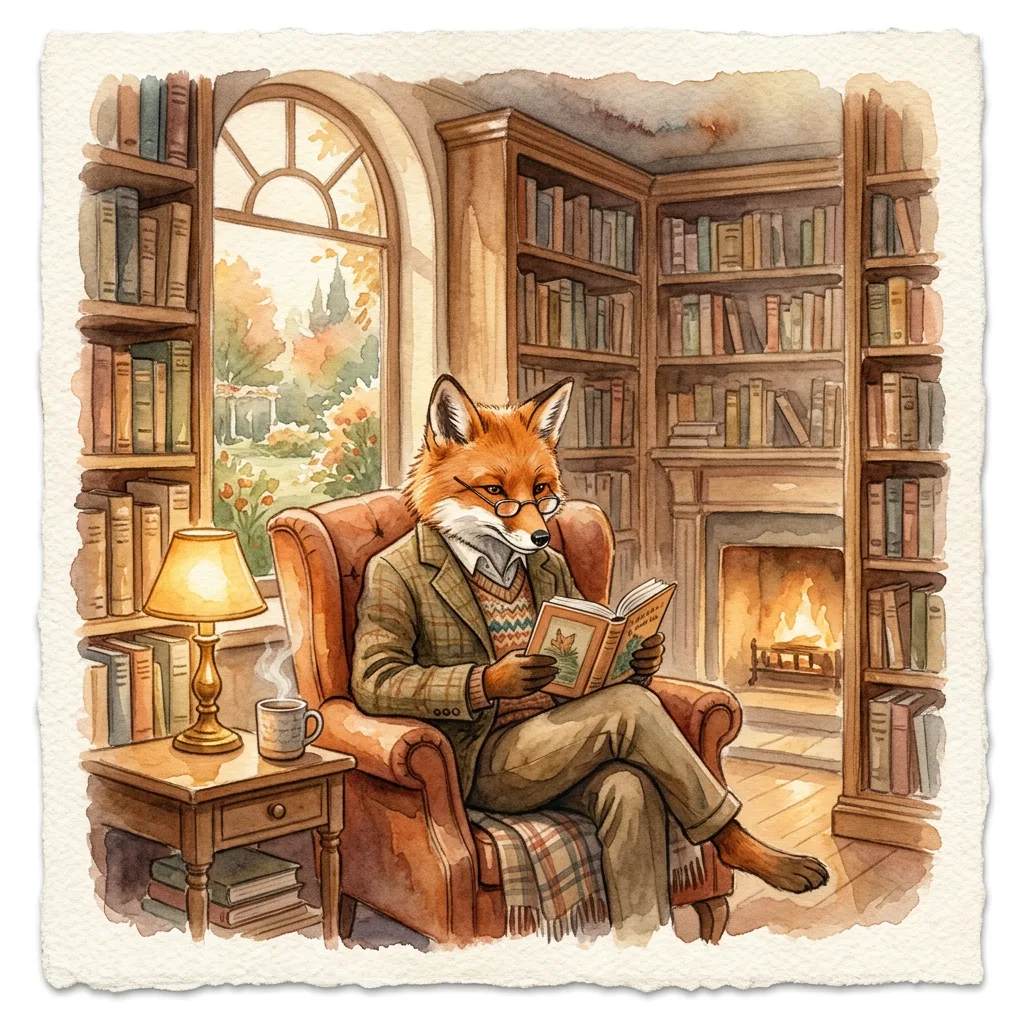
Example result. Pick your options to make yours.
Examples
An AI illustration generator that draws what you describe
Tsukuru is an AI drawing generator that turns one sentence into one finished picture. Write what should be drawn, such as a fox reading a book in a cozy library, choose a medium and press the button. The result appears next to the options with a Download button on the image.
This is an ai drawing generator, not a prompt-idea generator. It does not hand you a subject to practice on; it draws the subject you type. The medium row decides how it is drawn: digital painting, watercolor, pencil sketch, ink line art, flat illustration or gouache.
Each run makes one square image. Choose your description and medium before generating your one free drawing.
Made for
- Writers needing a picture
- Artists seeking a reference
- Bloggers and newsletter authors
- Teachers and students
- Hobbyists and daydreamers
Why pick this ai drawing generator
A medium, not a vague style
Six buttons, six different instructions. Watercolor asks for soft washes on textured paper. Gouache asks for matte flat color and visible brush strokes. You choose the way it is drawn instead of hoping a word in your text does it.
Pencil and ink stay monochrome by request
Pencil Sketch asks for graphite hatching with no color. Ink Line Art asks for black ink on white paper with varied line weight. Pick them when you want a drawing that looks like a sketchbook page.
One clear subject
The AI drawing generator asks for a single clear subject with a balanced composition, so a short description works better than a crowded scene. It also asks for no text, no watermark and no signature in the image.
A fixed square shape
Every drawing is a 1:1 image. There is no ratio or resolution menu to configure, which keeps the AI drawing generator to two decisions: what to draw and in which medium.
Safe for work by design
The request asks for fully clothed figures with nothing suggestive, and the terms forbid NSFW use. The site does not make adult images.
Free to try, with a clear limit
Your first image is free, with no sign-up and no credit card. The free allowance covers one image per visitor across the whole site. After that the AI drawing generator tells you the free tries are used; there is no account or paid plan yet.
What to use an AI drawing generator for
Reference for your own drawing
Use the AI drawing generator to make a pose, a scene or a lighting idea, then draw your own version from it. Pencil Sketch and Ink Line Art suit this best.
Blog and newsletter art
A square illustration for a post or an issue, in a medium that matches your tone. Flat Illustration is made for clean, simple visuals.
Storybook pages
Gouache asks for a warm storybook feel. Describe a character and a place to get a picture for a bedtime story or a classroom handout.
Social posts and profile art
The square shape fits feed posts and avatars. Ask for an animal, an object or a mountain in your favorite medium.
Slides and presentations
Replace a stock photo with a drawing from the AI drawing generator that shows your idea.
Gifts and cards
A watercolor of a pet, a house or a favorite place, described in words and downloaded as an image you can print yourself.
How to write a prompt for an AI drawing generator
- Name one main subject first, then add a place or an action: a lighthouse at dusk, a cat asleep on a windowsill.
- Keep it short. The box holds 200 characters, and this ai drawing generator builds the request around one clear subject.
- Match the medium to the job: Ink Line Art for outlines, Watercolor for soft scenes, Flat Illustration for simple graphics.
- Skip color words with Pencil Sketch, which asks for no color; use them with Digital Painting, Watercolor or Gouache.
- Do not ask for lettering. The request asks for no text in the image, so add words later in your own editor.
- Describe original subjects, not named characters. The request asks for original artwork.
- Look over what the AI drawing generator made before you use it: details such as hands, faces and small objects are not checked.
- You get one free image, so settle the subject and the medium before pressing the button.