
AI Comic Generator
Write a story, pick a genre, art style and panel count, and the AI Comic Generator draws the page. Your first page is free, no sign-up, no credit card.
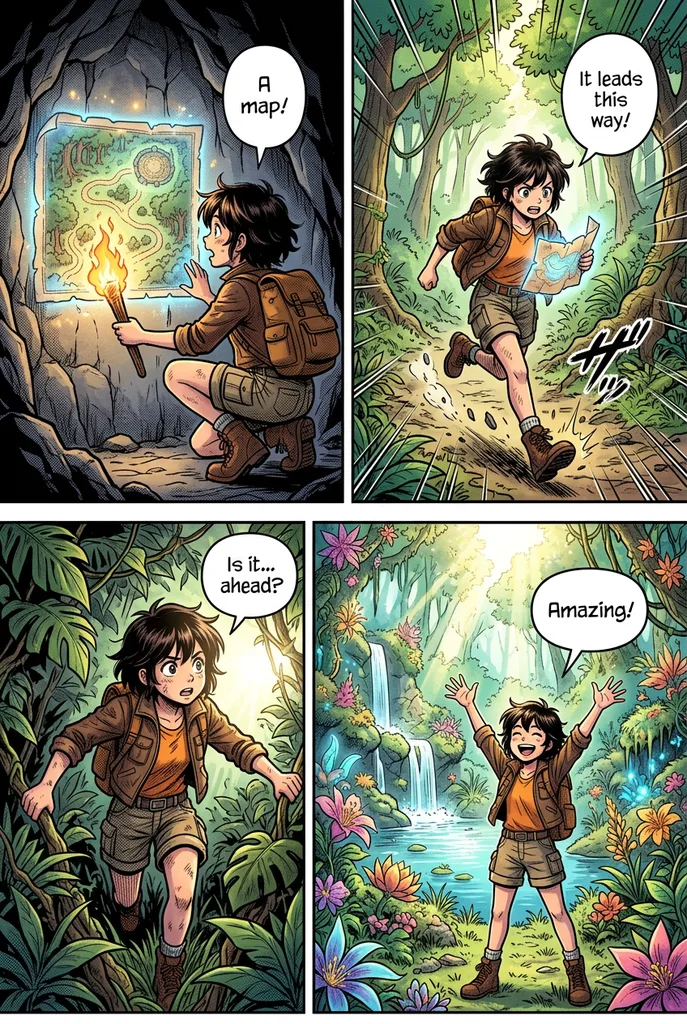
Example result. Pick your options to make yours.
Examples
What this comic AI draws for you
One story idea in, one finished comic page out.
This ai comic generator turns a short story into a single comic page. You describe the idea in up to 300 characters. The tool draws 3, 4 or 6 panels on one image, with gutters between them, to be read left to right and top to bottom.
The request asks for the same characters in every panel, with the same face, hairstyle and outfit, and for a story with a beginning, a middle and an end. Short speech bubbles with a few words of English are allowed. You need no drawing skills and nothing to upload.
The ai comic generator makes one page per run, so think of it as a quick comic maker for a scene, a gag or a pitch, not a full book.
Made for
- Webcomic writers
- Storyboard sketchers
- Teachers
- Social media creators
- Hobby storytellers
How to use the AI comic generator in three steps
No account, no upload, one button.
- 1
Write the story
Type what the comic is about, for example two robots who fall in love in a junkyard. Name the characters and say what happens at the start, in the middle and at the end. The story box of the AI comic generator holds 300 characters, so keep it to one scene and one small plot. The request asks for a clear ending, and a story with a twist or a punchline gives the last panel something to show.
- 2
Pick genre, art style and panels
Choose Comedy, Adventure, Sci-fi, Romance or Mystery. Then American Comic, Manga, Webtoon or Cartoon, and 3, 4 or 6 panels. Four panels is the default, laid out two by two.
- 3
Generate and download
Press the button and the AI comic generator draws the page, which appears next to your options, with a Download button on the image. Settle your story, genre, art style and panel count before generating your one free comic page. Each run makes one image.
What you can do with an AI comic maker
A comic page from the AI comic generator is a short story you can show at a glance.
Webcomic drafts
Test a story idea in a chosen style before you commit to drawing it. Webtoon and Manga are two of the four art styles, and an ai comic generator is a fast way to see which one fits the mood.
Storyboards and pitches
Show a scene as a few panels in a set order. In the AI comic generator, three panels fit a quick beat and six panels fit a short sequence.
Classroom stories
Use the AI comic generator to turn a lesson, a vocabulary scene or a short tale into a page that students can read in order.
Social posts and gags
Comedy asks for a punchline in the last panel, which suits a one-page joke or a post for your followers.
Gifts and inside jokes
Make a small comic about a pet, a friend group or a trip. Describe the characters in words, since nothing is uploaded, and name hair, clothes and colors so each panel has something to repeat.
Genre experiments
The AI comic generator has five genres. Pick Mystery for moody lighting or Sci-fi for robots and spaceships.