Pngtuber Maker
Pick an art style, a character and a hair color, then save the avatar as a transparent PNG. Your first image is free, no sign-up needed.
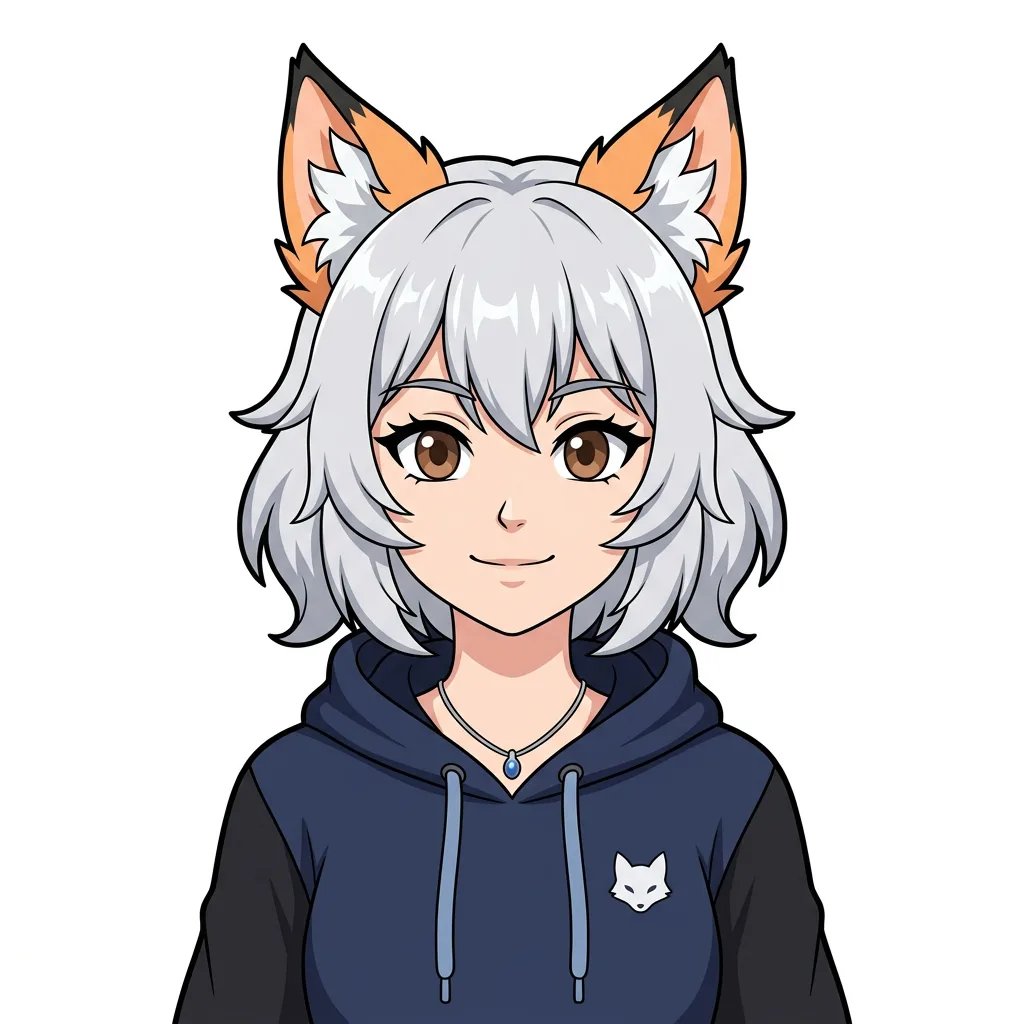
Example result. Pick your options to make yours.
Examples
What this pngtuber maker makes
This pngtuber maker draws the art of a PNGTuber: one front-facing bust, from the head to the chest, with the eyes open and the mouth closed. That is the idle picture a PNGTuber app shows while you are quiet.
You choose the look with three rows of buttons: art style, character and hair color. An optional note adds details such as headphones or round glasses.
In our test, Anime Bust with the Fox character and silver hair came out with black outlines, flat shading and a plain white background. The Fox choice gave a human-looking character with fox ears, so treat the character row as a starting point and use the note to steer.
The pngtuber maker makes the picture only. It does not animate it or make talking frames.
The square shape and the simple, clear outline are meant to make the avatar easy to cut out and place on a stream or in a voice chat.
Made for
- New PNGTubers
- Streamers without art skills
- Original character owners
- Discord and voice chat users
- Artists who want a base to redraw
How to use this pngtuber maker in three steps
- 1
Choose the art style and character
Pick one of five art styles: Anime Bust, Chibi, Pixel Art, Cartoon Mascot or Hand-drawn Doodle. Then pick Human, Cat, Fox, Robot or Ghost. The style sets how simple the shapes are, which matters if you plan to redraw or cut the avatar later.
- 2
Set the main color and add a note
Choose one of seven hair colors; for a fur or body character the same color is used for the fur or body. Add a short note if you want extras like glasses or a hoodie.
- 3
Generate, then download
Press the button and the pngtuber maker draws one square image. Download saves the image as generated, and Transparent PNG removes the white background that touches the edges of the image. Check the edges of the transparent PNG before using it.
Pngtuber maker vs apps and commissions
Each option covers a different part of a PNGTuber setup, and a pngtuber maker only covers the art.
| This maker | Voice-reactive apps | Commissioned artist | |
|---|---|---|---|
| What you get | One still avatar image | Software that swaps your images when it hears your microphone | A set of images drawn to your brief |
| Talking and blinking | No, one closed-mouth frame | Yes, once you supply the frames | Frames drawn by the artist, animated by an app |
| Cost to start | Your first image is free, no sign-up | Typically free to download | Typically a fee per set of expressions |
| Control over the design | Three button rows and an optional note | You bring the art | Full, through the brief and revisions |
| Best used for | A first avatar or a base to redraw | Running the avatar live | A finished set with matching expressions |